
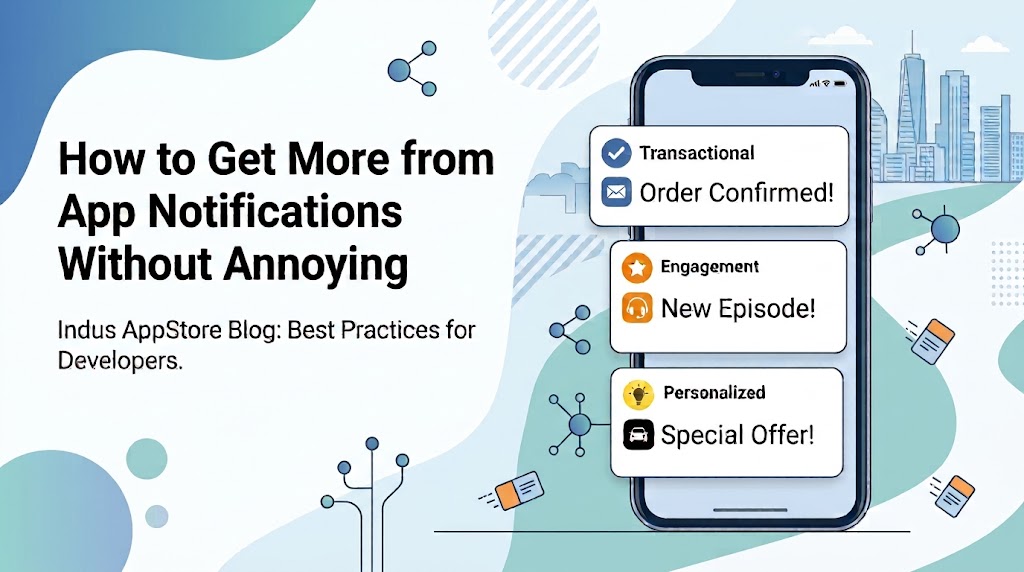
How to get more from app notifications without annoying your users
Highlights
- On Android 13+, notifications are off by default until users grant permission, making your opt-in prompt a genuine step in the engagement funnel.
- Notification channels are both a technical requirement on Android 8.0+ and a product design tool that lets users manage their preferences instead of disabling everything at once.
- Firebase Cloud Messaging priority should reflect genuine urgency. Overusing high priority can cause FCM to deprioritise your sends.
- Stale registration tokens can distort delivery metrics. Firebase considers tokens linked to devices inactive for over 270 days as expired, and removing them helps keep delivery reports accurate.
Introduction
Push notifications are one of the most effective ways for Android apps to re-engage users outside the app. They can remind users to complete important actions, alert them to time-sensitive updates, and encourage them to return when there is genuine value. When notifications are timely and relevant, they improve retention and overall user experience.
Many app teams still treat notifications as a broadcast channel, assuming that sending more messages will increase engagement. In practice, users respond better to quality than quantity. On Android 13+, notifications are off by default until users grant permission. That makes the notification permission prompt an important part of the user journey.
Well-timed notifications help users complete tasks and stay engaged. Poorly timed ones often lead users to disable notifications or uninstall the app.
Building that experience starts with requesting permission at the right time and sending notifications that are relevant, reliable, and easy to act on.
Ask for Notification Permission at the Right Moment
Android 13+ (API 33+) requires apps to request the POST_NOTIFICATIONS runtime permission before sending non-exempt notifications. This is more than a technical requirement. Your permission prompt is now part of the user journey, and how you handle it directly affects your reachable audience.
Android recommends asking only after users understand the value of notifications. Asking after a user enables order tracking works much better than asking on the first launch.
Ask for Permission When It Makes Sense
Treat the permission prompt as part of the user experience. Show it when users clearly benefit, such as before tracking a delivery or setting a price alert. If you’re exploring strategies for how to 10x your app downloads, opt-in rates deserve the same strategic attention as install conversion.
Set Up App Notification Channels Before You Go Live
On Android 8.0+ (API 26+), every notification must be assigned to a channel. For apps targeting API 26+, posting without a channel means the notification won’t appear, and the system logs an error. There’s no fallback behaviour.
Once a notification channel is created, its behaviour can’t be changed by the app. Users control settings such as importance, sound, and visibility. Plan your channel before launch.
Design Notification Channels Around User Preferences
Create channels based on notification type, such as transactions, promotions, reminders, and social updates. This lets users mute promotions without missing important updates. Choose the right importance level for each notification type.
Use Firebase Cloud Messaging Priority Deliberately
Firebase Cloud Messaging (FCM) lets developers send notifications through the Admin SDK, REST API, or Firebase Console. You can track delivery using BigQuery. On Android, FCM supports two message priority levels: high and normal.
High-priority messages can wake sleeping devices, but they should only be used for notifications that users need immediately. If you overuse high priority, FCM may reduce the priority of future messages. Using high priority only for time-sensitive notifications helps maintain reliable delivery.
Collapsible Messages and When to Use Them
A collapsible message is a push notification that can be replaced by a newer notification with the same collapse key before it is delivered. Instead of receiving every update, users receive only the latest one, making it ideal for information that changes frequently.
Use collapsible messages for updates like delivery ETAs, live scores, or stock alerts, where only the latest update matters. FCM stores up to four distinct collapse keys per device token at one time, so keep your key structure simple.
Use non-collapsible messages only when every notification matters, such as chats or payment confirmations.
Write App Notifications That Earn Their Place on a User’s Screen
Android recommends taking users straight to the relevant screen after they tap a notification. If the tap lands on a generic home screen, users may become confused or lose trust in the app experience.
Examples of effective notifications include:
- “Your driver is 2 minutes away” because it’s timely, specific, and tied directly to user intent.
- “Your payment failed; tap to retry” is actionable and removes friction at a critical moment.
- Message notifications with inline reply help grouped conversations stay visible until activity slows down.
Avoid generic notifications like “We miss you!”, festive greetings, or rating requests that don’t offer real value.
If your app is on Indus Appstore, localise your notifications just like your app listing. A user who found your app through a regional-language discovery experience may find English-only notifications disjointed. Matching notification language with your app listing creates a better user experience.
Protect Your Delivery Quality with Token Hygiene
Even a good notification strategy won’t work well if your send list has stale tokens. Firebase considers a registration token stale if the app instance hasn’t connected for more than a month. On Android, inactive tokens expire after 270 days. Sending those tokens wastes delivery volume and distorts your delivery metrics.
Firebase recommends storing tokens on your server with timestamps, updating them when they change, and removing tokens that return UNREGISTERED errors. FCM error conditions also matter when pacing retries and maintaining delivery quality.
Why Delivery Metrics Mislead Without Clean Data
If open rates are declining, the issue may not always be your notification content. Stale tokens can make delivery look worse than the real user experience warrants. Clean token data gives you more accurate reports and helps notifications reach active users.
Build a Notification Strategy Worth Opening
A good notification strategy focuses on sending useful messages instead of simply sending more notifications. Get the permission moment right, build channels that give users real control, respect FCM priority signals, write copy that justifies the interruption, and keep your token data clean.
These practices work best together. A good opt-in flow increases reach, well-planned channels reduce opt-outs, reliable delivery improves performance, and localised messages encourage users to return. Review your notification strategy regularly as your app evolves. Small improvements to permissions, delivery, and message quality can make a significant difference to long-term user engagement.
FAQs
What are push notifications used for?
Push notifications help apps share timely updates such as order tracking, reminders, payment alerts, and personalised recommendations. When used carefully, they improve retention and encourage users to return to the app.
Where can users find push notifications on Android?
Android users can view notifications in the notification shade and manage them through Settings > Notifications. Users can also customise notification channels for individual apps.
What are notification channels in Android?
Notification channels let Android users control different types of alerts separately, such as promotions, reminders, or transactional updates. They became mandatory for Android 8.0+ apps.
Why are notification permissions important on Android 13+?
Android 13+ requires apps to ask users for notification permission before sending alerts. Timing this request well can improve opt-in rates and long-term engagement.
What is Firebase Cloud Messaging (FCM)?
Firebase Cloud Messaging is Google’s notification delivery service for Android apps. Developers use FCM to send push notifications, manage priorities, and monitor delivery performance.
How can developers reduce notification fatigue?
Developers can reduce notification fatigue by sending fewer, more relevant notifications at the right time and using separate notification channels for different types of messages.
Why should app notifications be localised?
Localised notifications feel more familiar and easier to understand for regional users. Matching notification language with the user’s preferred language can improve engagement and retention.